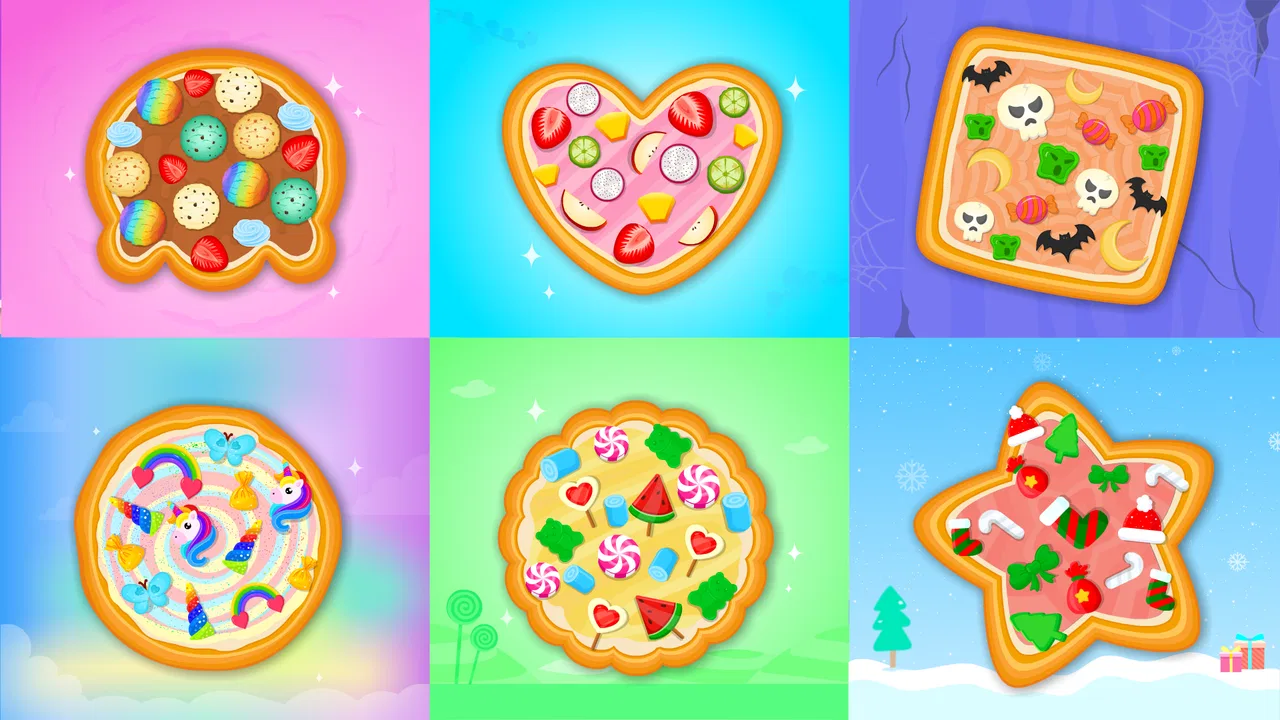
Pizza Maker and Baking Games
- 4.6
- Rating
- 500.00K
- Installs
- Free
- Price

 Analysis by App-foxy
I approached Pizza Maker and Baking Games as a small, child-friendly cooking game rather than a serious learning course, and that distinction matters. Its appeal is immediate: children can make virtual pizzas while practicing early recognition skills connected with letters and numbers. The idea is simple enough for a toddler to understand quickly, yet it gives parents a more purposeful alternative to handing over a purely passive video.
The game comes from IDZ Digital Private Limited and sits in the educational section. It is free to start, rated for Everyone, and supports Android devices running at least version 6.0. The store summary points to pizza preparation alongside ABC and 123 activities, so the experience is built around combining pretend cooking with basic early-learning play rather than presenting a single deep cooking simulation.
What I like most is that the pizza theme gives the learning a familiar setting. A child who would ignore a worksheet may be more willing to identify a letter, notice a number, or follow a simple sequence when the activity is wrapped in making food. The best use of this game is as a short, guided play session, not as a replacement for reading, counting practice, or hands-on cooking.
You May Also Like

 Blood Strike: 2.5 Anniversary
Blood Strike’s Loadouts Turn Every Drop Into a Tactical Gamble
A close look at Blood Strike’s custom loadouts: how fast access to signature weapons reshapes its battle royale rhythm, rewards preparation, and narrows the gap between fights.

 Pandora - Music & Podcasts
Pandora’s Music Is Easy to Start, but Harder to Recover
Pandora’s strength is its low-effort path from a seed to a station. Its weak spot is how much confidence it asks you to place in connection, setup, and quiet recovery.

 8 Ball Pool
8 Ball Pool Is Built on Rivalries, Rematches, and Routine
A close look at the rivalries, rematches, shared routines, and unanswered safety questions that turn a quick pool match into a persistent mobile community.

 Samsung Music
Samsung Music’s Quiet Strength Is Playing What You Already Own
Its reach comes less from spectacle than from dependable access to a personal library. That simplicity is both the app’s strongest retention engine and its ceiling.

 AccuWeather: Weather Radar
AccuWeather Review: A Quick, Clear Forecast for Everyday Decisions
For everyday plans, the best forecast is the one you can understand quickly. AccuWeather makes rain timing, radar, and local conditions easy to act on, with a few trade-offs.

 Hill Climb Racing
Why Hill Climb Racing Still Turns Crashes Into One More Run
A tiny car, a bumpy hill and one more upgrade: Hill Climb Racing keeps resurfacing because its simple chaos makes every near-miss feel personal.
More From Our News Desk
View All News


How the first play session sets its goals
The early goal is easy to understand: make a pizza and take part in playful learning activities along the way. That clarity is important for very young players. They do not need to study a menu of complicated objectives before beginning, and a parent can explain the basic idea in a few words: follow the cooking activity, explore the learning prompts, and keep trying.
In my experience, the food theme creates a useful reason to continue from one action to the next. Preparing a pizza naturally suggests a sequence, so the child has a visible sense of moving forward even when the educational task is modest. This is more engaging than presenting isolated flashcards because the activities feel connected to an outcome.
Parents should still set expectations carefully. This is not the kind of game I would choose for a child who needs a structured curriculum with clearly staged lessons, detailed progress reports, or subject-specific teaching. Its early goals are broad and playful. That makes it approachable, but it also means the adult may need to add the explanation and repetition that a formal learning app would normally provide.
A practical routine is to let the child explore independently for a few minutes, then ask what they noticed. For example, after a pizza-making sequence, I might ask the child to name a letter they saw or count familiar objects away from the screen. This turns the game into a starting point for conversation instead of treating the on-screen response as the entire lesson.
Why the pizza setting works for young players
Pizza is a particularly effective theme because it is recognizable and visually easy to understand. Children can connect ingredients, preparation, and the finished food with experiences from home or a restaurant. That context gives the activities a little emotional warmth, which helps the educational parts feel less like drills.
There is also a useful trade-off here. The cooking theme can make repetition feel more pleasant, but it may also become the main attraction. A child might focus on the pretend food and rush through the letters or numbers. I would sit nearby during the first sessions and gently bring attention back to the learning goal without turning playtime into a test.
For a preschooler who needs encouragement to engage with ABC and 123 material, this approach is more inviting than a plain practice screen. For an older child already comfortable with basic letters and numbers, the learning content may feel too introductory, and the cooking theme alone may not provide enough depth to hold attention for long.
Progress signals, challenge, and pacing
The most important progress signal here is the child’s ability to complete activities with increasing confidence. Rather than expecting a complicated achievement system, I would look for practical signs: less hesitation, better recognition, and a willingness to repeat an activity without immediate adult help. Those are meaningful outcomes for this age group, even if they are not represented by a detailed report.
The game’s version is 0.0.29, which suggests an experience that may still be developing. I would therefore judge progress by what the child can do during play rather than assuming a polished, long-term progression structure. A young player may feel successful simply by completing the cooking flow, recognizing a familiar symbol, or remembering what comes next.
This is also where parents should avoid overvaluing visible rewards. A child can appear to progress quickly in a game while still needing support with the underlying skill offline. After a session, I would test understanding casually: point to a letter in a book, ask for a small count of toys, or invite the child to describe the order of the cooking steps. These checks reveal whether the game is supporting recognition or merely encouraging tapping.
The difficulty curve appears suited to beginners because the central activities are designed for children and toddlers. That accessibility is a strength, especially when a child is using a learning game without constant frustration. At the same time, families looking for gradually harder puzzles should be cautious. A gentle entry point does not automatically create a demanding path later.
Keeping the pace comfortable
Short sessions are the natural fit. I would not expect a toddler to remain focused through a long sitting, and extending play after attention has faded can turn a pleasant activity into random tapping. A better workflow is to stop while the child is still engaged, then return another time. This makes the game feel like a repeatable routine rather than a task that has to be completed in one go.
One useful technique is to alternate control. Let the child handle the main cooking interaction, then take a turn asking a question about the letters or numbers. This prevents the adult from taking over while also making sure the educational element is not lost behind the visual activity.
Another is to use the game before a related real-world activity. Before helping in the kitchen, a parent could play briefly and then talk about ingredients, order, and safe food preparation. The child does not need to cook independently; even naming steps or sorting safe objects can extend the lesson beyond the screen.
The pacing may feel repetitive for adults, but repetition is not automatically a weakness for preschool learning. The real question is whether the child remains mentally involved. If the child is recognizing and responding, repetition can reinforce familiarity. If the child is simply pressing through the same actions without attention, it is time to pause or switch to a more demanding activity.
Free access and the question of retention
The game is free, which lowers the barrier for families who want to try it before committing to a larger educational platform. That is especially helpful when the child’s interest in cooking games is uncertain. The presence of in-app purchases priced from $1.99 to $3.99 per item means parents should review the purchase experience before leaving the device unsupervised.
I see the free entry as a practical advantage, but it also creates a retention question. A child may return because the pizza theme is familiar, because the learning activities are comfortable, or because the game offers something that feels newly rewarding. Without assuming a particular unlock structure or challenge system, I would not describe it as a deep progression game. Its staying power is more likely to come from repeatable pretend play and a child’s desire to revisit familiar tasks.
That can be perfectly appropriate for toddlers. Young children often benefit from returning to a known activity and gradually becoming more independent. However, parents seeking a strong long-term challenge should compare it with a broader early-learning suite that covers several subjects and tracks growth more explicitly.
The purchase range also affects how I would introduce it in a family setting. I would first explore the free experience with the child, decide whether the educational activities genuinely hold attention, and only then consider any optional purchase. The important point is not to buy simply because the child enjoys pizza decoration; the purchase should support a clear learning or play need.
Its Everyone rating makes it suitable for a broad family audience, but age suitability is not the same as supervision-free suitability. Very young children may still need help understanding instructions, waiting for a response, and distinguishing learning prompts from decorative actions. A parent’s presence improves the value considerably, particularly during the first few sessions.
Who will keep coming back?
I think the strongest audience is preschool children who enjoy pretend cooking and are beginning to encounter letters and numbers. The game can also work for a child who needs a low-pressure way to revisit familiar basics. Its approachable theme is useful when a child resists formal exercises or becomes discouraged by apps that feel too academic.
It is less convincing for children who already read simple words, count confidently, or expect complex cooking mechanics. They may finish the available activities quickly or find the educational goals too easy. It is also not the right choice for a parent who wants detailed assessment, a carefully documented lesson sequence, or a substitute for an educator.
Compared with a traditional ABC app, this game has the advantage of context and imagination. Compared with a general cooking game, it gives the play a clearer educational purpose. Compared with a comprehensive preschool platform, it is likely to feel narrower and more focused. I would choose it when the child’s motivation is the priority, and choose the broader platform when systematic coverage and measurement matter more.
My verdict on the progression
Pizza Maker and Baking Games succeeds when it keeps the goals small, understandable, and connected to something children recognize. The pizza activity provides a friendly frame for early ABC and 123 practice, while the free starting point makes experimentation easy. Its strongest progression signal is not a sophisticated rank or reward ladder; it is the child becoming more comfortable with the sequence and the learning prompts.
The trade-off is equally clear. This is a light educational game, not an extensive curriculum or a demanding challenge experience. The difficulty is intentionally approachable, and that may limit its value for children who need advanced content. Retention will depend on the child’s interest in repeating pretend-cooking activities, along with the parent’s ability to connect screen play to real-world questions and practice.
With an average rating of 4.6 from around 1.6 thousand ratings and more than 500 thousand installs, it has attracted meaningful attention from families. I would still treat those figures as a reason to investigate, not as proof that it fits every child. The developer is IDZ Digital Private Limited, and the current build remains a compact option for Android users on the supported system version.
My recommendation is straightforward: try it if you want a gentle, food-themed introduction to early learning and are comfortable supervising short sessions. Keep expectations modest, watch how the child responds to the ABC and 123 activities, and use the pizza theme as a bridge to offline conversation. If you need deep progression, rigorous assessment, or steadily escalating difficulty, another educational app will be a better match. For a young child who learns best through familiar imaginative play, though, the combination of cooking and basic learning makes this a worthwhile free starting point.
FAQs for Pizza Maker and Baking Games
01What is Pizza Maker and Baking Games?
Pizza Maker and Baking Games is a casual cooking game designed around preparing pizzas and other baked treats. Players typically choose ingredients, shape the dough, add toppings, bake the pizza, and decorate or serve the finished creation. Its simple controls and colorful presentation make it suitable for children and casual players who enjoy creative, step-by-step cooking activities.
02Is Pizza Maker and Baking Games suitable for children?
The game is generally aimed at younger players and families because its activities are simple, visual, and easy to understand. Children can experiment with toppings, baking steps, and decorations without needing advanced gaming skills. Parents should still review the app’s age rating, advertising settings, in-app purchase options, and any external links before allowing unsupervised play.
03Does the game require an internet connection to play?
Many basic pizza-making activities can usually be played offline after the game has been installed, which is convenient for travel or areas with limited connectivity. However, certain features may depend on an internet connection, including advertisements, updates, bonus content, analytics, or purchases. Availability can vary by device version, so checking the store description is recommended.
04Are there advertisements or in-app purchases in the game?
Pizza Maker and Baking Games may include advertising or optional purchases, depending on the version and the platform where it is downloaded. Ads can sometimes appear between activities, while purchases may unlock ingredients, tools, recipes, or remove advertising. Before downloading, parents should check the official listing for pricing details and use device-level purchase restrictions when necessary.
05What can players do in Pizza Maker and Baking Games?
Players can usually follow a complete virtual pizza-making process, from preparing the dough to selecting sauces, cheeses, meats, vegetables, and decorative toppings. Baking and serving add a sense of progression, while creative choices allow players to make different pizza designs. The experience is more focused on imagination and casual interaction than on challenging gameplay or realistic cooking instruction.
Pros
- Simple controls make it easy for children to create pizzas independently.
- Bright graphics and playful animations make each cooking task engaging.
- Multiple toppings encourage creativity and personal pizza designs.
- Short activities are suitable for quick play sessions.
- Offline access allows play without an internet connection.
Cons
- Gameplay may feel repetitive after preparing several pizzas.
- Some features or ingredients may require in-app purchases.
- Ads can interrupt play in the free version.
- Limited challenge may not appeal to older children or adults.
- Sound effects may become distracting during extended sessions.

Pizza Maker and Baking Games
Gallery